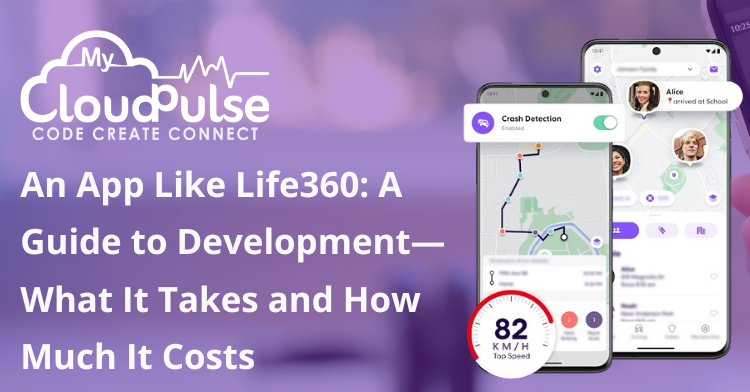
These days, it’s hard to imagine modern digital life without location-based mobile apps. Among these, Life360 stands out as one of the most popular location-sharing and family safety apps worldwide. It is an intuitive platform that combines real-time GPS tracking, driving insights, emergency alerts, and communication tools to keep families connected and protected. As demand for digital safety solutions continues to grow, many startups and enterprises are looking to develop an app like Life360 to deliver reliable, secure, and feature-rich location-based experiences.
Apps like Life360 are booming in popularity as people all over the world become more worried about their own safety, the protection of their children, the care of the elderly, and the security of roads. For companies and entrepreneurs seeking to develop a location-based safety software with the ability to scale its revenue, this is a great opportunity.
Here, we’ll go over everything you need to know to build an app similar to Life360, including:
Potential customers and the reasons for doing business
Central and enhanced capabilities
Technical framework and set-up
Procedure for creating an app
Strategies for monetization and cost breakdown
Difficulties and potential developments
1. The Increasing Popularity of Apps That Monitor Where Families Are
The use of cellphones and GPS has revolutionized the way families stay in touch and make sure everyone is safe. In times of crisis, families seek reassurance, and people seek tranquility when loved ones drive or travel great distances. Parents also want to know where their children are.
To address these concerns, Life360 came up with:
Sharing locations in real-time
Important safety information
Understanding driver behavior
Resources for family communication
Life360 has grown from a basic tracking system to a whole digital safety ecosystem, and it now serves millions of people all over the world.
2. Develop an App Like Life360
Users of Life360 form private groups (called Circles) with people they trust, like family and friends.
Fundamental Process Flow
After signing up, users can invite friends and relatives.
Location permissions are granted by each member.
The program uses cellular data, Wi-Fi, and GPS to track your whereabouts.
Safe, real-time data processing and sharing
Insights, alerts, and notifications are set off when certain activities occur.
Arguments in Favor of Life360
An easy way to get started
Reliable tracking in real-time
Emphasis on security and confidentiality
Extra elements that enhance the tracking process
3. What Makes Life360 an Ideal App to Develop?
3.1 The Increasing Peer Pressure on Safety Apps
Growing worries about:
Ensuring the protection of children
Caring for the elderly
Vehicle mishaps
Swift action in an emergency
Because to these factors, family safety applications have seen a large uptake.
3.2 A Variety of Applications
Parents and their families
People living in dorms and students
Support workers and elderly
Groups of friends and travelers
3.3 High Engagement and Retention Rates
Daily user interaction with safety apps ensures engagement over the long run.
3.4 Possibility of Recurring Revenue
Predictable income is generated by subscription-based premium features.
3.5 Growth into Intelligent Devices
Future scalability is created by integration with smart home systems, wearable technology, and cars.
4. Important Elements of an App Similar to Life360
4.1 Creating Users and Managing Their Profiles
Social media, email, and phone
Add a photo and specify your role (parent, kid, etc.) to your profile.
Permission and privacy settings
4.2 Invitations to Members and Circle Formation
Form exclusive groups called “Circles”
Inviting through link or phone number
Oversee each member’s permissions
4.3 Tracking Your Whereabouts in Real Time
An essential component of the app.
Maps with real-time GPS tracking
Honest updates about where you are
Energy-saving monitoring modes
4.4 Geofencing Place Alerts
Classify areas as “home,” “school,” or “office.”
Instant notifications upon member arrival or departure
4.5 Life-Saving SOS Signals
An instant stop button
Notifies Circle members of your current location and changes
Connectivity to emergency services is optional.
4.6 Messages Within the App
Confidential messaging inside Circles
Sharing locations through messaging
4.7 Past Places of Interest
Examine past movements within a specified time frame
Parents and caregivers will find this helpful.
4.8 Monitoring of Driver Behavior
An exceptional Life360 function.
Tracking the velocity
The detection of sudden braking
Driving while using a cell phone
4.9 Alerts and Notifications
Changes in location
Updates on the battery’s health
Important announcements
4.10 Dashboard for Admins
Circle and user administration
Metrics and insights into consumption
Management of content and alerts
5. State-of-the-Art Functions for an Effective App
5.1 Detection of Crash
Scan for vehicle collisions without human intervention
Notifies of impending danger using current position
5.2 AI-Generated Risk Assessments
Analyze dangerous driving habits
Advanced notifications that are derived from actions
5.3 Mode for Optimizing Battery Life
Tracking with adaptive GPS
Power-efficient background updates
5.4: Integrating Wearables
App compatibility for Apple Watch and Wear OS
Signal from wristwatch
5.5 Integrations with Third Parties
Quick assistance
Health insurance companies
Integration of smart home devices
6. Develop an App Like Life360 Technology Stack for Frontend Work
Swift for iOS
Programming language for Android: Kotlin
Platform-agnostic: Flutter and React Native
Developing the Backend
Java, Python, or Node.js is it?
APIs written in the REST or Graph QL format
Services for Real-Time Locations
Maps API by Google
Using Map box
The Apple Map Kit mobile app
Information storing
Databases for users: PostgreSQL and MySQL
Location logs stored in MongoDB
Platform for the Cloud
Competitors to AWS, Google Cloud, and Azure
server auto-scaling
Storage with maximum security
Instantaneous Discourse
web sockets
Instantaneous Database on Firebase
Protecting Your Data
Complete secret communication
Enrollment in OAuth 2.0
GDPR and local regulations
7. The Steps in Creating an App
7.1 Studying the Market and Making a Strategy
Locate the intended audience
Prioritize features
Evaluation of rival firms
7.2 Design for User Experience and Interface
Uncomplicated user interface based on maps
Easy way to navigate
Clarity and ease of access
7.3 Developing the MVP
Continuous monitoring
Making a circle
Notifications and alerts
7.4 Ensuring Quality and Testing
evaluation of GPS precision
Evaluation of loads and stresses
Evaluations of safety measures
7.5 Deployment and Upkeep
The launch of the App Store and the Play Store
Ongoing surveillance
Enhanced functionality
8. The Price of Making a Life360-Style App
8.1 App Complexity and Its Relation to Costs MVP Version
Standard monitoring
Management of circles
Attention: $50,000 to $80,000 Estimated Expense:
Mid-Level Software
Motivating revelations
Places visited
Updated alerts
The projected budget ranges from $90,000 to $160,000
Comprehensive Software
AI knowledge
Identifying crashes
Embedded wearable technology
top-tier protection
Price Range: $180,000 to $300,000 and Up
8.2 Things That Influence the Price
Optional platform: iOS, Android, or both
Complexity of features
Site of the development team
External APIs
9. Strategies for Generating Revenue
Model with no cost
Plans available on a monthly or yearly basis
Advanced vehicle inspection reports
Mutual insurance policies
Personal or business strategies
10. Important Development Obstacles
GPS precision versus power consumption
Syncing data in real-time
Data security and user consent
Dealing with a high volume of simultaneous users
11. The Upcoming Patterns of Location-Based Security Applications
Intelligent safety notifications powered by AI
Integration of smart vehicles
Superior safeguards for children
Integration of smart cities and emergency response systems
Conclusion
More than GPS monitoring, developing an app like Life360 necessitates a profound concentration on trustworthiness, privacy, real-time performance, and reliability. An app similar to Life360 has the potential to become a strong safety platform that assists communities, families, and caregivers all around the globe with the correct combination of features, a strong technology stack, and a scalable revenue model.
Investing in location-based app development and creating solutions that genuinely safeguard what matters most is a wonderful move now, as safety and connectivity remain to characterize the digital era.

FAQs
Life360 is a family safety app that offers real-time location tracking, geofencing alerts, driving reports, and emergency assistance.
The development cost typically ranges from $60,000 to $250,000+, depending on features, platforms, security, and integrations.
Core features include real-time GPS tracking, geofencing, SOS alerts, crash detection, location history, and private family circles.
GPS APIs, cloud infrastructure, real-time databases, mobile SDKs, AI for behavior detection, and strong encryption for data security.
Yes, common monetization models include freemium subscriptions, premium safety features, and enterprise or insurance partnerships.